拓扑图如下:
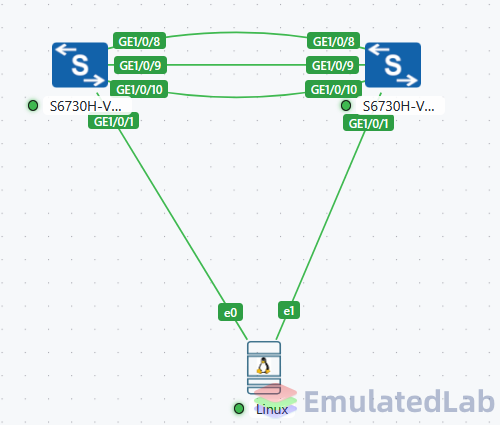
服务器配置:
# 1. 创建 bond0
sudo nmcli connection add type bond con-name bond0 ifname bond0 bond.options "active-backup,miimon=100,lacp_rate=fast,xmit_hash_policy=layer3+4"

# 2. 将 eth0 和 eth1 挂载到 bond0
sudo nmcli connection add type ethernet con-name bond0-port1 ifname eth0 master bond0
sudo nmcli connection add type ethernet con-name bond0-port2 ifname eth1 master bond0

# 3. 给 bond0 配置 IP 和网关(IP: 10.1.11.11/24,网关: 10.1.11.1)
sudo nmcli connection modify bond0 ipv4.method manual ipv4.addresses 10.1.11.11/24 ipv4.gateway 10.1.11.1
交换机配置(以交换机1为例,2只是优先级和mad检测地址不一致,其余一致):
stp mode rstp
stp v-stp enable
interface Eth-Trunk1
 mode lacp-static
 peer-link 1
 port vlan exclude 1
#
interface GE1/0/8
 eth-trunk 1
#
interface GE1/0/9
 eth-trunk 1
#
interface Eth-Trunk10
 port link-type access
 port default vlan 10
 dfs-group 1 m-lag 10
#
interface GE1/0/1
 eth-trunk 10
#
vlan batch 10
#
interface Vlanif10
 ip address 10.1.11.1 255.255.255.0
 mac-address 0000-5e00-1111
#
interface GE1/0/10
 undo portswitch
 ip address 1.1.1.1 255.255.255.252
#
结果验证:
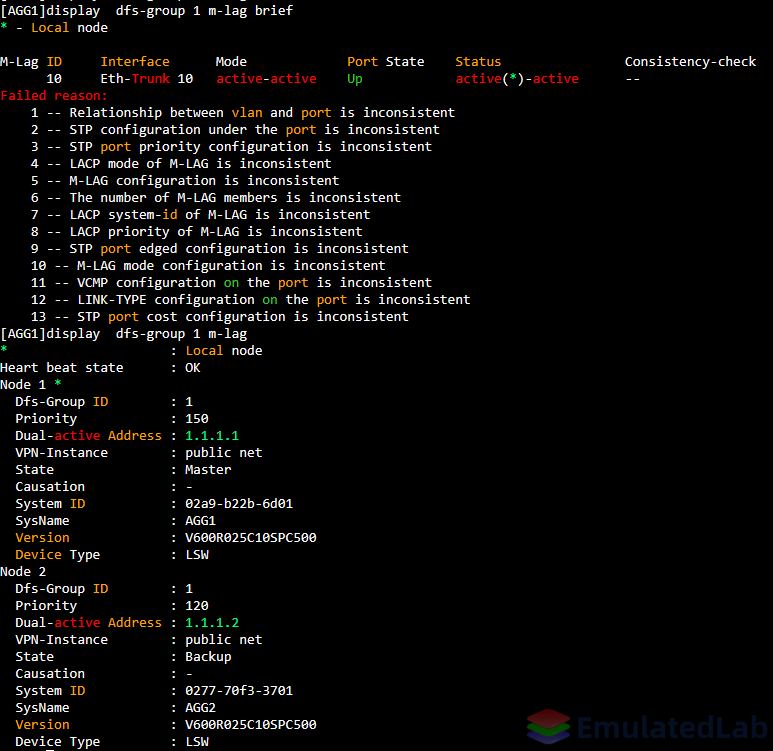
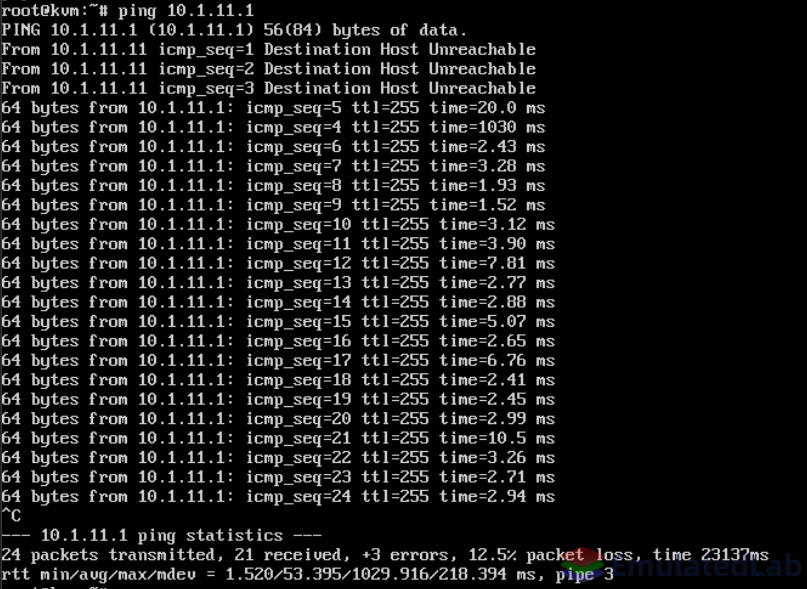
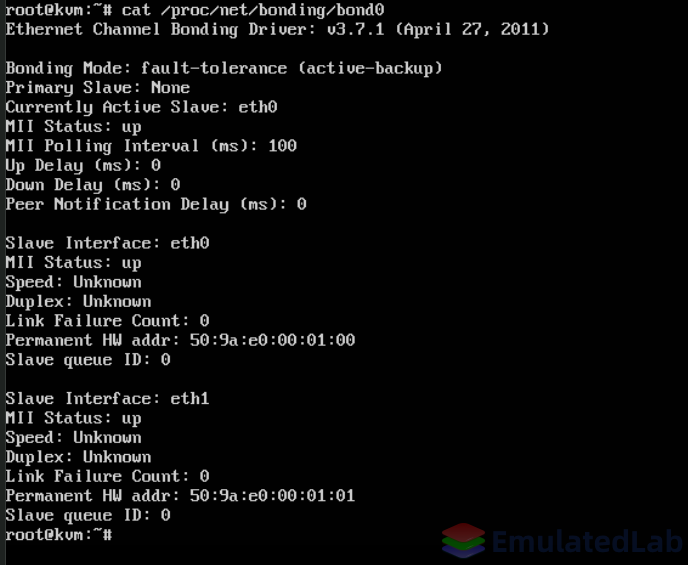
注:lacp-static模式貌似有bug,只通一下就不通了,用手工就没问题!!!